Title 24 office lighting needs an applicable power allowance, required controls and documented acceptance checks. I confirm the project’s permit date and compliance method before choosing fixtures. A single 0.65 W/ft² number does not apply to every office. See Sibolla Building for related project options.
Key Takeaways
- Confirm the office area category and applicable lighting allowance before setting a design target.
- Pick LED fixtures that use less energy. These help you meet the new power rules.
- Use occupancy sensors to save energy. These sensors dim or turn off lights when no one is in the room.
- Try daylight harvesting to use sunlight for lighting. This makes rooms more comfortable and saves energy.
- Do a full lighting check to count fixtures and check wattages. Make sure you know how long lights are used to follow the rules.
- Plan for lighting controls with many levels. This gives you more choices and saves energy in different office spaces.
- Keep good records of your lighting plan. Write down your math and fixture lists to help with inspections.
- Work with suppliers like Sibolla Building for expert help. They can give you custom solutions to meet Title 24 rules.
Meeting the 2025 California Title 24 Update for Office Lighting
Achieving Below 0.65 W/ft²
Under the 2025 Energy Code area-category table, general lighting allowances distinguish office areas above 250 ft² from smaller areas. Check the complete table, qualified additional allowances and project method before calculating compliance.
Use these design measures with the applicable power allowance and control requirements:
| Measure | Design check |
|---|---|
| Efficient luminaires | Verify actual input power and required illuminance |
| Occupancy control | Apply the space-specific control and timeout requirements |
| Daylight control | Identify applicable daylit zones, triggers and exceptions |
You can mix these ideas to save energy and meet the California Title 24 Update. For example, you can use LED lights with sensors already inside. You can also group lights so they change with the sunlight. These steps help you use less energy and keep your office bright and nice.
Key Compliance Factors
You may have some problems when you try to meet the new rule. You need to check every part of your lighting plan. Count all the fixtures, check what kind of lamps you have, and know how long the lights are on each day. If you miss something, you might not pass the check.
“The most important points in conducting a lighting audit are the correct count of fixtures, the correct lamp and wattage types inside of each fixture, and the ‘burn hours’ for all lights, rather than the business’ hours of operation.” – Billy Ramirez, FSG Albuquerque Branch Manager
You can also find ways to make your lighting better under the California Title 24 Update. Here are some ways to improve your office lighting:
- Set LPD limits for each area to control energy use.
- Use smart lighting controls like occupancy sensors to save power in empty rooms.
- Add daylighting controls that change lights when sunlight is bright.
- Pick energy-saving LED fixtures or retrofit kits.
If you want your office lighting plan to meet the rule, follow these steps:
- Do a lighting audit. Check your lights and find any problems.
- Look for places that use too much power or do not have controls.
- Change to Title 24-compliant LED fixtures. Choose the right lights and plan where they go.
You can meet the California Title 24 Update if you use these ideas and steps. You will save energy, spend less money, and make your office better for everyone.
California Title 24 Update: What’s New for Offices
Major Changes in 2025
The 2025 update removes the prescriptive tailored method. Select the applicable compliance method and check its complete requirements rather than assuming one method applies to every project.
Here is a table that shows what is different:
| Aspect | Previous Method (Tailored Method) | New Method (Area Category Method) |
|---|---|---|
| Compliance Pathway | Tailored Method | Area Category Method |
| Wattage Allowances | Specific wattage allowances | Additional Power Allowances |
| Complexity of Compliance | Less complex | More complex due to tighter controls |
| Lighting Control Requirements | Standard controls | More robust daylight and occupancy controls |
You must follow new rules for lighting controls. The update says you need multi-level lighting controls. You also need shut-off controls and daylight responsive controls. Every space must have manual controls. This lets you turn lights on and off.
Here is a quick table about the main control changes:
| Change Type | Description |
|---|---|
| Multi-level lighting controls | Controls let you change light levels for better efficiency. |
| Shut-OFF Controls | Lights turn off or dim when no one is there. |
| Daylight Responsive Controls | Lights change when sunlight comes in. |
Impact on Office Lighting Design
These changes affect your office projects. You must plan your lighting carefully. Stricter controls mean you need advanced technology. Use occupancy sensors and daylight harvesting. These tools help save energy and money.
Smart lighting systems can adjust right away. Your office uses less power when rooms are empty. It also uses less power when sunlight is bright. Buildings with networked lighting controls can save almost half their lighting energy. This lowers your costs and makes your office more comfortable.
You should group lights and set up zones. This helps you follow the new rules. It also gives you more control over your lighting.
Timeline and Enforcement
California’s 2025 Energy Code applies to permit applications submitted on or after 1 January 2026. Confirm how additions, alterations and the specific project are treated. [1]
Inspectors will check your lighting plans and finished office. You must show your design uses the right controls. You also must stay under the power limit. If you do not follow the rules, you may have delays or extra costs.
Tip: Start planning early. Work with your design team and suppliers. Make sure your lighting plan meets the new standards.
If you understand these changes, you can make office spaces that save energy. You will follow the law and your office will work well for everyone.
Lighting Power Density and Controls
Image Source: pexels
LPD Limits for Offices
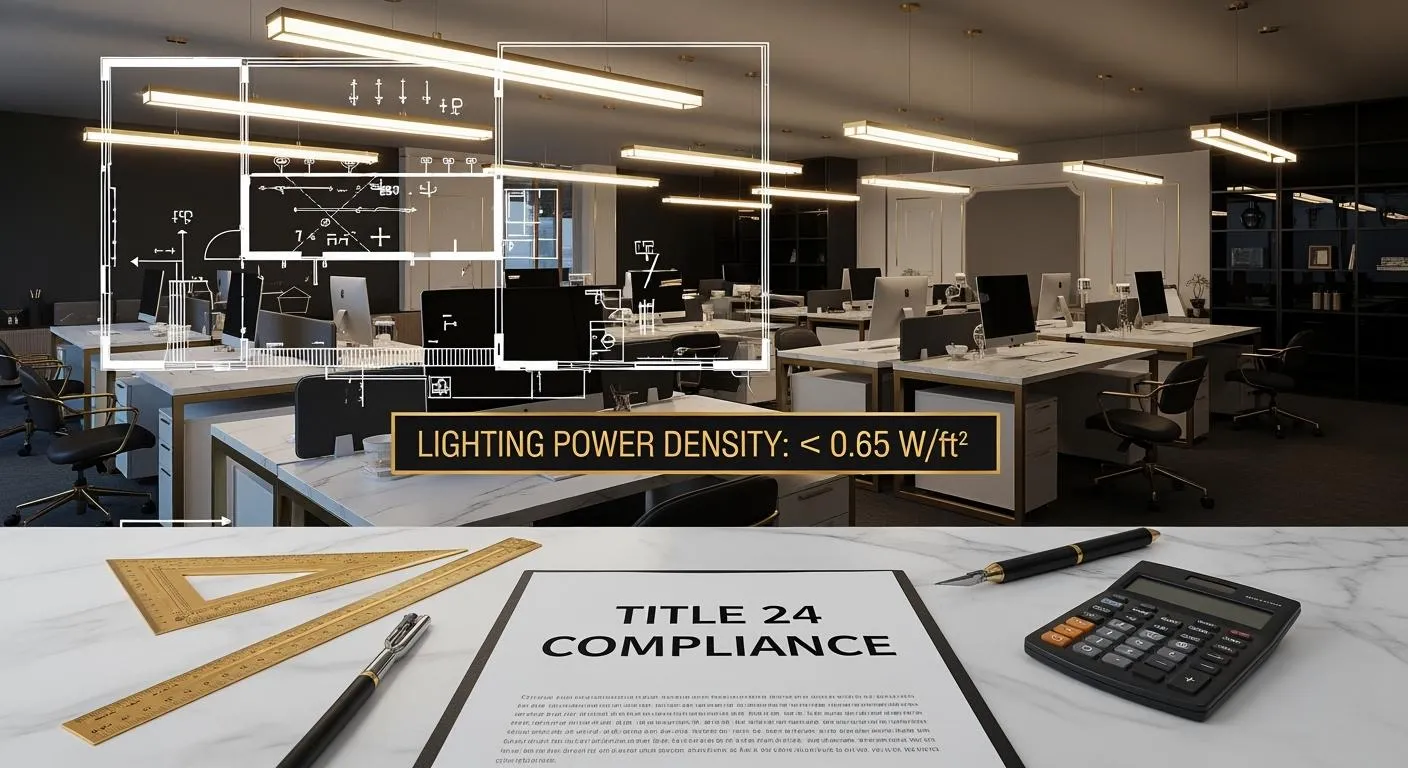
Lighting power density compares installed lighting power with floor area. The 2025 area-category method lists 0.60 W/ft² for office areas above 250 ft² and 0.65 W/ft² for areas of 250 ft² or less, subject to the complete rules and applicable allowances. [2]
Calculating LPD
As an arithmetic example, 1,000 W divided by 2,000 ft² equals 0.5 W/ft². Compliance still requires the correct allowance, controlled-load calculation, mandatory controls and any applicable acceptance testing.
Tip: Use a spreadsheet to track your fixtures and wattages. This helps you stay organized and spot any problems early.
Mandatory Lighting Controls
You must use special lighting controls to meet the California Title 24 Update. These controls help you save energy and follow the law. Here is a table that shows what you need:
| Control | Verification |
|---|---|
| Occupancy sensing | Apply the specified space type, control zone and timeout requirements |
| Daylight-responsive control | Check applicable daylit zones, wattage triggers and exceptions |
| Demand response | Check the project trigger, controlled loads and performance requirements |
Occupancy Sensors
You must put occupancy sensors in every office area. These sensors turn off or dim the lights when no one is in the room. Each sensor should cover no more than 600 square feet. This saves energy and makes sure you do not waste power.
Daylight Harvesting
Daylight harvesting uses sensors to check how much sunlight comes into a room. When the sun is bright, the sensors dim or turn off the lights. You need these controls in both main and side daylight zones. This keeps your office bright but saves energy when you do not need extra light.
Multi-Level Dimming
Multi-level dimming lets you change the brightness of your lights. You can set lights to low, medium, or high. This gives you control and helps you save energy. Workers can pick the light level they like. You must have this feature in your office lighting plan.
By using these controls, you make your office smarter and more efficient. You also make sure your project passes inspection.
Sibolla Building Lighting Solutions for Compliance
High-Efficiency Fixture Selection
You need high-efficiency fixtures to follow strict energy rules. Sibolla Building has many LED lighting choices. These lights use less power but still shine bright. You can pick ceiling lamps, wall lamps, or commercial downlights. Each one uses advanced LED technology. This helps keep your lighting power density low.
Sibolla Building’s products are made with strong materials. They use marine-grade aluminum and stainless steel. These last a long time and resist corrosion under suitable conditions and maintenance. You can also pick different beam angles and color temperatures. This lets you match the lights to your office needs. You do not have to give up style to save energy.
Tip: Try Sibolla Building’s photometric planning service. It helps you choose the right lights and stay under the energy limit.
Customization for Project Needs
Every office project is unique. Sibolla Building lets you change your lighting plan. You can pick the shape, size, and finish of each light. If you want a special color, you can ask for powder-coating in any RAL or Pantone shade. This helps match your brand or design.
You can also change technical features. Pick the right lumen output and beam angle for each area. If you need special lights for outdoor or seaside offices, Sibolla Building has IP-rated options. These lights work well and stay safe in tough places.
Here is a table showing customization options:
| Feature | Options Available |
|---|---|
| Shape & Size | Custom shapes and dimensions |
| Finish | Powder-coating, RAL/Pantone |
| Lumen Output | Adjustable to project needs |
| Beam Angle | Narrow, medium, wide |
| IP Rating | Indoor, outdoor, seaside |
You get a lighting plan that fits your project and follows all the rules.
Integration with Smart Controls
Specify the required control protocol and verify the driver, controller and sensor combination. DALI, KNX, Zigbee and 0–10 V are not interchangeable, and support must be confirmed for the actual fixture.
Request commissioning instructions and a tested control configuration. Pre-setting a driver does not replace installation checks or acceptance testing.
Note: Smart controls help you follow the rules. They also make your office more comfortable and flexible for everyone.
You can trust Sibolla Building for a complete lighting solution. You get efficient fixtures, custom choices, and smart controls—all made to help your project do well.
Lighting Plan: Step-by-Step Compliance Guide
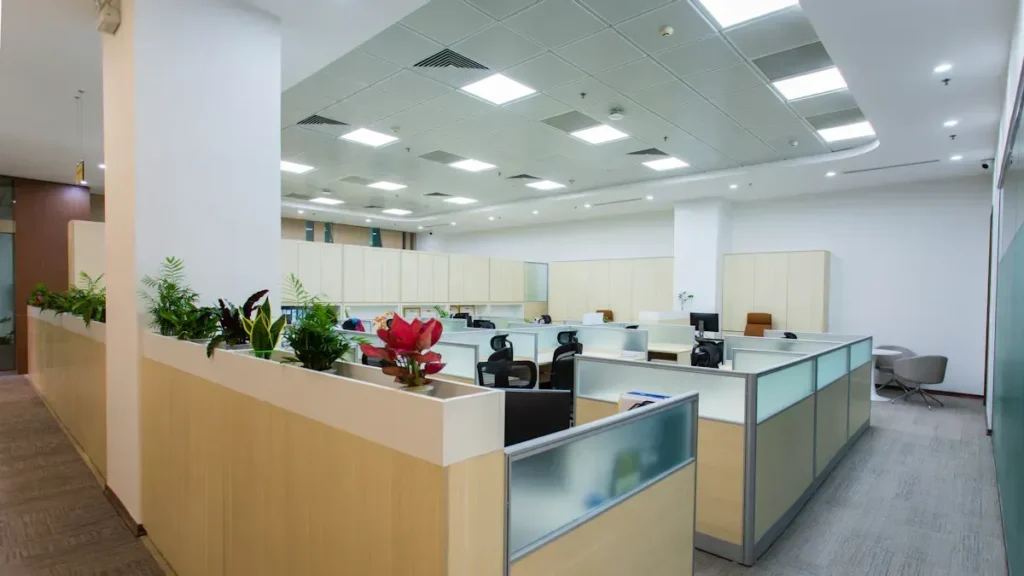
Image Source: pexels
Assessing Office Needs
You should start your lighting plan by understanding what your office needs. Walk through each space and look for areas that get sunlight during the day. These are called daylit zones. Mark their size and location on your floor plan.
Check Section 130.1 and applicable daylight-control thresholds and exceptions. Show daylit zones, controlled loads, sensor access and dimming behaviour on the drawings.
You also need to think about where to put occupancy sensors. Title 24 standards require these in many rooms. Add dimmers in common areas to help meet control rules. By following these steps, you set a strong foundation for a compliant lighting plan.
Tip: Write down your findings in a checklist. This helps you stay organized and makes it easier to show inspectors your work.
Fixture Layout and Zoning
After you know your office needs, you can plan where to put your lights. Good fixture layout and zoning help you save energy and follow the rules. Group lights by how people use the space. For example, you can make one zone for open desks and another for meeting rooms.
Here is a table that shows what controls you need for each area:
| Control Type | Required | Applies To |
|---|---|---|
| Occupancy sensors | Yes | Most enclosed spaces |
| Automatic shutoff | Yes | All interior lighting |
| Daylight dimming | Yes | Daylit zones |
| Exterior controls | Yes | All outdoor fixtures |
| Manual overrides | Limited | Time-restricted |
You should place occupancy sensors in most enclosed spaces. Use automatic shutoff for all indoor lights. Add daylight dimming in zones that get sunlight. For outdoor lights, use exterior controls. Manual overrides should only work for a short time.
When you zone your lighting, you make it easier to control each area. This helps you meet the California Title 24 Update and keeps your office comfortable.
Controls Integration
You need to connect your lighting controls to get the best results. Start by using group-based controls in open-plan offices. These controls let you manage lights for large work areas. Add motion sensors in corners where people do not walk often.
In private offices and meeting rooms, use occupancy sensors and dimmers. These controls turn off or dim the lights when no one is there. In break rooms and lounge areas, mix warm LED lights with motion sensors. This saves energy but keeps the space cozy.
Follow these steps to integrate your controls:
- Set up group controls for open spaces.
- Install occupancy sensors and dimmers in private rooms.
- Use motion sensors and warm LEDs in lounges and break areas.
Estimate lighting consumption from installed power, operating hours and control settings. Measure actual savings after commissioning rather than using a universal share of office energy.
Note: Test your controls after installation. Make sure they work as planned and adjust them if needed.
LPD Verification and Documentation
Document actual lighting input power and the applicable Title 24 allowance for each relevant area. Confirm mandatory controls and acceptance requirements alongside the calculation.
First, gather all the details about your lights. Write down the wattage for each light, how many you have, and the size of the area. Use a spreadsheet to keep this information neat. This helps you add up the total watts and divide by the square footage. You can use the space-by-space method for tricky layouts or the building area method for simple offices.
Here is a table with common ways and rules for checking LPD:
| Method/Standard | Description |
|---|---|
| ASHRAE 90.1 | Sets LPD limits for different spaces, including offices. |
| International Energy Conservation Code (IECC) | Gives similar LPD rules. Many local codes use these standards. |
| LEED Certification | Gives points for low LPD. Helps you make your building more sustainable. |
| Space-by-Space Method | Checks LPD for each room or area. Good for complex office layouts. |
| Building Area Method | Uses one LPD limit for the whole office. Works well for simple designs. |
Pick the method that works best for your office. If your office has lots of different rooms, use the space-by-space method. If your office is open and simple, the building area method is easier.
To show you follow the rules, do these steps:
- List every light in your plan.
- Write down the wattage and where each light goes.
- Add up the total watts for each area.
- Measure the size of each area.
- Divide the total watts by the area size to get the LPD.
- Check the design against the applicable area and compliance-method allowance.
- Save your math and fixture lists.
- Make a summary sheet for inspectors.
Tip: Keep all your records in one folder. This makes it easy to answer questions during inspections.
You should also add details about your control systems. Show where you put occupancy sensors, daylight controls, and dimmers. Add pictures or diagrams if you can. This helps inspectors see you followed the rules.
If you use Sibolla Building’s lighting, you can get photometric reports and fixture lists. These help you prove you meet the rules. You can also get help with LPD math and layout drawings.
Good records protect your project. They show you followed the law and help you fix problems before you build. Careful LPD checks and clear records make your office project go well.
Practical Tips and Common Pitfalls
Cost-Effective Choices
Lighting consumption varies with building use, hours and equipment. Compare the proposed design with the actual baseline and metered operating conditions.
Here is a table that shows why some choices are better:
| Evidence | Purpose |
|---|---|
| Fixture input power | Calculate proposed lighting load |
| Operating hours and controls | Estimate energy use |
| Baseline and post-installation records | Evaluate actual improvement |
You should choose LED fixtures for your office. LEDs last longer and use less power than old bulbs. Smart LEDs and app-controlled lights let you change settings from your phone or computer. Motion detectors and photosensors turn off lights when no one is there or when the sun is bright. These features help you save even more energy.
Any cost saving depends on the actual design, quotation, operating hours and installation scope.
Working with Inspectors
You need to work with inspectors to make sure your lighting plan follows Title 24. Start by asking an energy consultant for help early. This person can help you avoid mistakes before you send your plans.
Here is a table with important steps:
| Key Point | Recommendation |
|---|---|
| Early Involvement of Consultant | Bring in an energy consultant before you submit your plans. |
| Accurate Documentation | Keep a checklist of all documents and assign tasks to your team. |
| Understanding Different Standards | Review the Title 24 rules for your building type. |
Always keep your paperwork up to date. A checklist helps you remember what you need. Make sure you know if your project uses commercial or residential rules. This helps you avoid problems with approval.
Tip: Ask your energy consultant for help early and keep all your papers together. This will help you avoid costly changes and delays.
Avoiding Non-Compliance
You must avoid mistakes that can cause non-compliance. Missing a control or using the wrong light can cause delays and extra costs. Always check your lighting plan before you build.
Here are some ways to stay on track:
- Check your fixture list and wattages for each area.
- Test all lighting controls, like sensors and dimmers, before the final inspection.
- Keep clear records of your math and layouts.
- Teach your team about Title 24 rules.
Coordinate calculations, submittals and acceptance checks before installation. Resolve identified gaps rather than promising an inspection result.
Title 24 Compliance Checklist
A good checklist helps you stay on track with Title 24 rules. You can use this guide to make sure your office lighting project meets every requirement. Careful planning at each stage saves you time and money.
Pre-Design
You should start with a strong plan before you draw anything. Think about how your office uses light during the day. Walk through the space and notice where sunlight comes in. Make a list of what you need for each area.
- Include daylight harvesting in your lighting design. This means using sunlight to light up your office and turning off electric lights when you do not need them.
- Plan for dimming controls. These controls let you lower the brightness and save energy.
- Choose high-efficacy fixtures. These lights use less power and help you meet energy codes.
- Limit power density in your lighting system. Make sure you do not use more watts per square foot than allowed.
- Check Title 24 rules early. If you follow the rules from the start, you avoid delays and extra costs.
Tip: Write down your ideas and needs in a checklist. This helps you remember every detail.
Design and Specification
Now you can pick your lights and controls. You need to match your choices to Title 24 rules. Draw your lighting layout and mark where each fixture and sensor will go.
- Select LED fixtures that meet DLC Premium standards. These fixtures save energy and may qualify for rebates.
- Add occupancy or vacancy sensors in rooms over 100 square feet or where lighting power is high.
- Place daylighting controls in spaces near windows or under skylights. These controls dim or turn off lights when sunlight is bright.
- Plan for multi-level dimming. This lets people adjust the light to their needs.
- Prepare all documents. Collect fixture cut sheets, control schedules, and LPD calculations.
Confirm each area’s control requirements and lighting power allowance before approving the design.
Construction and Final Review
You need to check your work during and after installation. Follow these steps to make sure your project passes inspection:
- Determine the applicable alteration requirements and exceptions from the adopted code and project scope. Do not apply a universal fixture-count trigger.
- Install DLC Premium LED fixtures. These meet efficiency and rebate requirements.
- Calculate your lighting power density. Add up all installed watts and divide by the area size.
- Install occupancy or vacancy sensors in the right places.
- Set up daylighting controls for spaces near windows or skylights.
- Add photocells to all outdoor fixtures for dusk-to-dawn control.
- Plan for emergency lighting with battery backup for at least 90 minutes.
- Check if you need demand-responsive controls for indoor outlets.
- Confirm your outdoor lighting zone and check hardscape wattage limits.
- Gather all documents for your permit. Include fixture lists, control plans, LPD math, and sensor locations.
Note: Good records and careful checks help you pass inspections and avoid costly changes.
By following this checklist, you make sure your office lighting meets the 2025 California Title 24 Update. You save energy, avoid delays, and create a better space for everyone.
Case Study: Office Lighting with Sibolla Building
Project Overview
The following workflow is an illustrative office-lighting planning example. It is not a verified Sibolla client project or evidence of a particular energy saving.
There are many challenges in a project like this. The team had to use less energy, follow strict rules, and keep the office looking nice. They also needed to finish on time and not spend too much money. Sibolla Building helped the team from the beginning. You get help with planning, picking fixtures, and following the code.
Tip: If you plan early with your supplier, you can avoid delays and extra costs.
Design and Fixture Selection
You start by checking how each office area is used. Open workspaces, meeting rooms, and break areas all need different lights. Sibolla Building helps you pick the best fixtures for each space.
You choose high-efficiency LED downlights for open spaces. These lights use less power and spread light evenly. In meeting rooms, you use pendant fixtures that can change brightness. For hallways and restrooms, you pick wall-mounted lights with sensors built in.
Here is a table showing the fixture choices:
| Area | Fixture Type | Features |
|---|---|---|
| Open Workspace | LED Downlights | Low wattage, wide beam angle |
| Meeting Rooms | Pendant Fixtures | Dimmable, color temperature control |
| Hallways | Wall-Mounted Lights | Occupancy sensors, low glare |
| Break Areas | Decorative Ceiling Lamps | Warm light, energy efficient |
You can change the finish and color of each fixture. Sibolla Building offers powder-coating to match your brand colors. You also pick fixtures with the right lumen output for each area. This helps you stay under the LPD limit and makes the space comfortable.
Controls and Results
You need smart controls to follow Title 24. Sibolla Building gives you fixtures that work with DALI and 0-10V systems. You put occupancy sensors in all private offices and meeting rooms. Daylight sensors go in open areas near windows. Multi-level dimming lets you change the light for different jobs.
You group lights into zones. Each zone has its own controls. This setup saves energy and gives you more options. After you install everything, you test all controls to make sure they work.
The results are clear:
- Calculate the example design load and compare it with the applicable project allowance.
- Measure energy use after commissioning against the recorded baseline.
- Workers say the lighting feels good and is easy to change.
- The project passes inspection the first time.
Note: Good planning, the right fixtures, and smart controls help you follow Title 24 and make a better office.
Lessons Learned
You can get helpful lessons from this office lighting project. These lessons make your own Title 24-compliant lighting plan easier and better.
1. Start Early and Plan Thoroughly
Begin your lighting plan early. Early planning gives you time to learn Title 24 rules. Walk through your office and measure sunlight. Decide where you need special controls. Early action stops last-minute changes and expensive mistakes.
2. Choose the Right Fixtures
Compare high-efficiency fixtures using actual power, photometric files, glare and maintainability. Match the controls and finish options to the approved specification.
3. Integrate Smart Controls
Agree the control architecture and commissioning plan with the designer and installer. Verify compatibility for the proposed luminaires rather than assuming every driver supports the same systems.
4. Keep Good Records
Keep clear records of your lighting plan. Write down every fixture, wattage, and control location. Use a spreadsheet to track your LPD calculations. Good records help you pass inspections and answer questions from inspectors.
5. Work with a Coordinated Supplier
Work with a supplier like Sibolla Building to save time and lower risk. They help you pick fixtures, plan lighting, and follow the code. You get support from design to delivery. This makes your project smoother and helps you avoid delays.
Tip: If you use these lessons, you will make an energy-efficient, comfortable, and compliant office space.
Here is a simple table to help you remember the main lessons:
| Lesson | Why It Matters |
|---|---|
| Early Planning | Stops delays and costly changes |
| Efficient Fixture Selection | Meets energy codes and saves money |
| Smart Controls Integration | Helps compliance and flexibility |
| Good Documentation | Makes inspections easy |
| Coordinated Supplier Support | Lowers risk and speeds up delivery |
You can use these lessons as a checklist for your next office lighting project. If you plan well, pick the right products, and keep good records, you will meet the 2025 California Title 24 Update with confidence.
Next Steps for Project Teams
Resources and Guidance
There are many places to help with your office lighting project. These tools make it easier to follow the new Title 24 rules. They also help you finish your project the right way. Here are some good websites you can use for information:
- California Building Standards Commission
This group shares the official Title 24 updates. Go to their website to see the newest rules and dates.
California Building Standards Commission - California Energy Commission
You can find guides and tools here about the 2025 energy code. They show you how to make lighting plans that follow the new rules.
California Energy Commission
Tip: Save these websites in your bookmarks. You can check them when you need help or new information.
Use these resources to check your lighting plan. They help you follow every rule and avoid mistakes. These guides also help you pass inspections.
Staying Updated
You should always know about changes to Title 24. The rules can change every few years. If you keep up with new rules, you will not be surprised. You can sign up for newsletters from the California Energy Commission. You can also join online classes or webinars. These events teach you about new rules and good ways to plan.
Talk with your project team often. Share news and updates with everyone on your team. Working together helps you fix problems faster. You can also ask questions in online groups or local meetings. These places let you learn from other teams.
Note: Set a reminder to check for updates each month. This helps you find new rules early.
Consulting Sibolla Building Experts
Ask which photometric data, driver options and submittal support are available for the proposed fixtures. The project designer and acceptance team remain responsible for demonstrating applicable code compliance.
Here is a table that shows how Sibolla Building can help you:
| Service | Benefit |
|---|---|
| Photometric Planning | Helps you meet LPD limits |
| Custom Fixture Design | Matches your office style |
| Smart Controls Setup | Makes compliance easier |
| Documentation Support | Speeds up inspections |
You can contact Sibolla Building for a full lighting package. Their experts help you lower risks and finish your project on time. You get help from the start to the end.
Callout: If you want your project to go smoothly and follow the rules, talk to Sibolla Building’s team. You will get answers, help, and good lighting solutions.
You can achieve Title 24 compliance by following a few clear steps:
- Start your planning early.
- Choose high-efficiency fixtures.
- Use smart controls for every area.
- Keep good records and check your math.
Tip: Use the checklist in this guide and reach out to Sibolla Building for expert help. You will save energy, pass inspections, and create a better office space.
FAQ
LPD is installed lighting power per unit area. Use the applicable Title 24 category and method; 0.65 W/ft² is not a universal office limit.
You need daylight controls in spaces that get sunlight. If your office has windows or skylights, you must use daylight sensors to dim or turn off lights when sunlight is bright.
Assess existing fixtures and controls against the applicable alteration rules. Efficient LEDs are a design option; the technology name alone does not establish compliance.
Occupancy sensors turn off or dim lights when no one is in the room. You save energy and meet Title 24 rules. These sensors are required in most office spaces.
You must show fixture lists, LPD calculations, and control plans. Inspectors check these documents to see if your lighting plan meets the rules. Keep your records organized and ready.
Confirm the available fixture dimensions, finishes, photometric data and controls against the approved design. Product customization does not guarantee Title 24 compliance.
You can get prototypes in about a week. Bulk orders take four to six weeks. You choose sea, rail, or air freight. Your project manager gives you updates every week.
Confirm each fixture’s actual driver protocol and integration requirements. Commission the complete lighting-control system and perform the required acceptance checks.
References and Sources
- California Energy Commission — 2025 Energy Code applicability
- California Energy Commission — 2025 Standards, Table 140.6-C
Sources checked on 27 September 2026. Apply each standard within its stated scope and verify current requirements for the project destination.